Exporting Tests to Postman
BitDive allows you to automatically create a Postman Collection from any set of captured traces. This feature enables you to take the real-world behavior captured by BitDive and export it into a portable, executable format for local debugging and development.
Overview
The export functionality transforms BitDive traces into a standard Postman Collection v2.1.0. This allows you to:
- Reproduce failures locally without setting up complex data states manually.
- Share test scenarios with other developers or QA engineers.
- Inspect request headers and bodies in a familiar interface.
Exporting Scenarios
You can export an entire test scenario, which includes all associated traces as a single collection. This is useful for sharing complete user flows or regression suites.
- Navigate to the Testing dashboard.
- Select the test scenario you wish to export.
- Click the Export to Postman button.
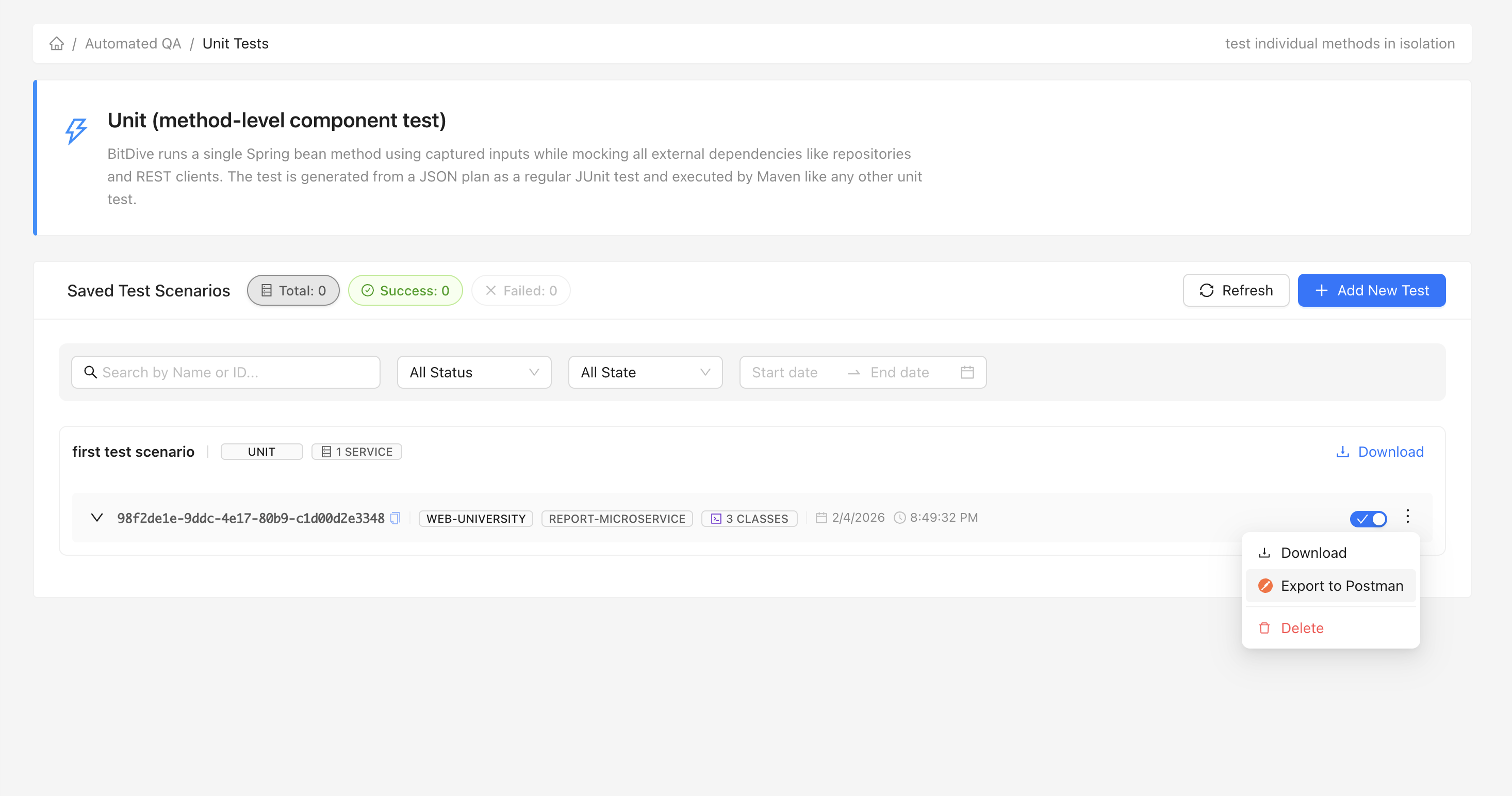
Exporting Specific Test Classes
For targeted debugging or integration testing, you can export individual test classes. This creates a collection containing only the endpoints relevant to that specific component.
- Select the specific test class from the list.
- Click Export to create the collection for just those requests.
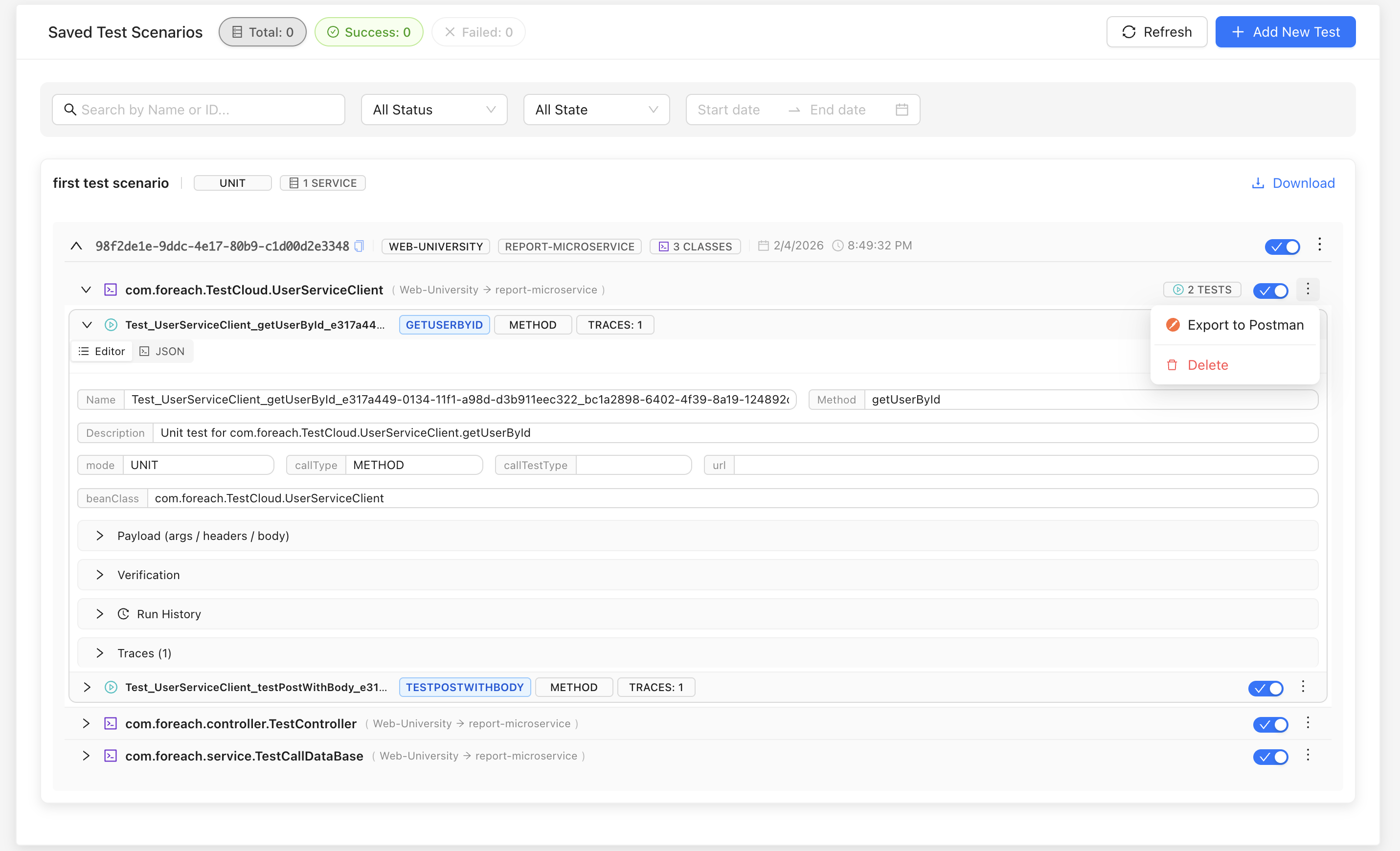
Importing into Postman
Once you have downloaded the JSON collection file:
- Open Postman.
- Click the Import button in the top left.
- Drag and drop the generated JSON file or select it from your computer.
- Follow the official Postman import guide if you need more details.
Technical Details
The export engine performs several optimizations to ensure the generated collection is ready to use:
- Header Parsing: Internal Java header representations (like
java.util.HashMap) are automatically converted into standard HTTP key-value pairs. - Full Trace Representation: If a test involves multiple valid outgoing HTTP calls (Traces), each is included as a separate request in the collection.
- Body Formatting: Request bodies are automatically prettified, and dynamic values are preserved where possible.