How can you measure software performance?

TL;DR: Metrics are just the baseline; Behavior is the goal. Measuring throughput and latency is essential, but in 2026, BitDive elevates this by monitoring Unexpected Behavior Changes. By comparing real-world execution traces against baseline replays, we ensure that performance gains don't come at the cost of correctness, providing the Real Runtime Data for your PRs.
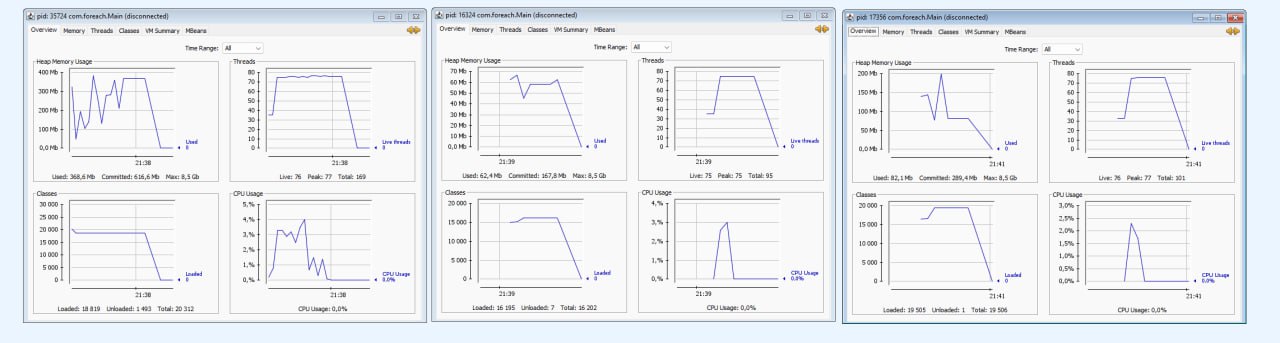
Performance testing is crucial for software success, ensuring systems meet user expectations and business requirements. This guide explores core performance testing concepts and provides actionable strategies for effective implementation.
Key Performance Testing Metrics
- Throughput: Measures how much information a system processes over time.
- Latency: Tracks the delay between initiating an action and receiving a result.
- Responsiveness: Combines throughput and latency to evaluate system reactivity.
Understanding these metrics helps teams gauge software efficiency and identify improvement areas.
Importance of Controlled Testing Environments
For reliable results, a controlled environment is essential:
- Consistency: Dedicated infrastructure and isolated networks remove external variables.
- Clear Outcomes: Set pass/fail criteria to interpret test results confidently.
Integration Testing vs. Whole System Testing
- Integration Testing: Focuses on specific system parts, providing precise control over variables.
- Whole System Testing: Offers a comprehensive view of system functionality and detects unexpected issues, though it's more complex to conduct.
Both types have unique benefits, combine them for a robust testing approach.
Adopting a Test-First Performance Testing Strategy
Implementing test-first strategies ensures performance is measurable from the start:
- Define and validate performance goals before writing code.
- Ensure tests are in place to verify systems meet performance thresholds.
Evaluating Usability and Perception
User experience is influenced by response times:
- Excellent: 0-150ms
- Good: 150-300ms
- Poor: 300-450ms
- Unacceptable: >450ms
Consider these benchmarks to align system performance with user expectations.
Advanced Performance Testing Techniques
- Load Testing: Gradually increase system load to identify stress points.
- Scalability Testing: Determine system limits and future-proof the software for growth.
Incorporate these tests to gauge system resilience under real-world conditions.
Best Practices for Effective Performance Testing
- Reproducibility: Consistent test setups lead to more reliable results.
- Regression Detection: Integration tests are ideal for spotting regressions.
- Unexpected Issue Identification: Whole system tests highlight unforeseen problems.
- Usability Focus: Prioritize usability and responsiveness in performance testing to enhance user satisfaction.
By tracking these key performance metrics, you can ensure that your software is meeting performance benchmarks.
Beyond Basic Metrics: Behavioral Verification
BitDive doesn't just measure latency, it verifies behavior. Capture production-grade metrics and turn them into deterministic regression tests that catch performance drift automatically.
Start Measuring BehaviorPerformance Metrics in the AI Era: Beyond Unit Tests
Traditional unit tests often fail to capture performance degradations. In a world where AI writes much of the code, Measuring Unexpected Behavior Changes becomes critical.
The BitDive Approach:
- Baseline Replays: Create a "Gold Standard" recording of your service's performance metrics.
- Drift Detection: Automatically compare CI/CD runs against the baseline. If a code change increases SQL query counts or adds 50ms to a mission-critical method, BitDive flags it as a regression.
- Continuous Feedback: Instead of periodic load tests, get immediate performance feedback on every PR.
Conclusion
By following these performance testing strategies, software development teams can create robust, scalable, and user-friendly applications. Regular performance testing throughout the development lifecycle helps identify issues early, enhancing product quality and user experience.
Interested in optimization? Visit Application Performance Optimization.
Explore more tools in Observability vs. Monitoring vs. APM Guide.
Check our Engineering Glossary.